
Picking an AI assistant gets a lot easier when the decision starts with what you actually need done—then moves to tools that reliably do those jobs within your budget, privacy limits, and preferred workflow. Use the steps below to translate everyday needs (work, study, creative projects, home admin, and support tasks) into a shortlist you can test quickly before committing.
Before comparing brands, write down 3–5 tasks the assistant must improve. Be specific: “draft client emails from bullet notes,” “summarize PDFs into action items,” “turn meeting notes into follow-ups,” “brainstorm marketing angles,” or “help debug Python errors.”
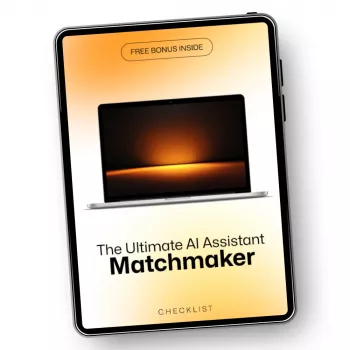
If you want a structured way to capture goals, constraints, and tests in one place, the workbook-style guide The Ultimate AI Assistant Matchmaker: The Ultimate Guide to Choosing the Right AI Assistant is designed to keep decisions practical and evidence-based.
Most assistants fall into a few “styles.” Choosing the style first usually narrows the field faster than comparing model names or long feature lists.
| Primary need | Best-fit assistant style | What to verify before buying |
|---|---|---|
| Fast writing and rewriting | General chat assistant | Tone control, citations/links, export formats |
| Recurring workflow automation | Task-focused assistant | Integrations, templates, reliability of outputs |
| Hands-free daily organization | Voice-first assistant | Recognition accuracy, privacy settings, device support |
| Coding productivity | Developer assistant | Repo access controls, supported languages, code quality |
| Company-wide knowledge support | Team/enterprise assistant | Permissions, audit logs, data retention policies |
Many assistants look similar in demos. The differentiators show up when real work meets real constraints.
A lightweight scorecard prevents “demo bias” and makes tradeoffs visible. Pick 6–8 criteria, score each assistant 1–5, and weight what matters most (for example, privacy ×2 for sensitive work; integrations ×2 for operations-heavy roles).
| Criterion | Weight | Assistant A | Assistant B | Notes to record |
|---|---|---|---|---|
| Writing quality | 2 | Tone, clarity, formatting consistency | ||
| Factual reliability | 3 | Citations, errors, invented details | ||
| Document handling | 2 | PDF summaries, quoting accuracy | ||
| Integrations | 2 | Calendar, docs, storage, automations | ||
| Privacy controls | 3 | Retention, training opt-out, admin settings | ||
| Cost predictability | 2 | Seat pricing, caps, overages |
You don’t need a week-long pilot to spot mismatches. A focused half hour can reveal whether a tool is truly “your” assistant.
For everyday life workflows, pairing an assistant with a practical system helps. If home and family planning are part of your use case, Parenting Without Perfection: A Practical Guide on How to Let Go of Perfect Parenting and Embrace Imperfections with AI Support can help translate “help me stay on top of things” into routines that stick.
To keep everything in one place—from task lists to test results—use The Ultimate AI Assistant Matchmaker: The Ultimate Guide to Choosing the Right AI Assistant. And if budgeting for new tools is part of the decision, Smart Savings: The Ultimate Guide to Balancing Short-Term and Long-Term Goals helps clarify what’s sustainable month to month.
“Ultimate AI” can refer to different companies or products, so the founder depends on which one you mean. Check the official About page, verified company profiles, or filings for the specific “Ultimate AI” you’re researching before trusting third-party directories.
It depends on whether “ultimate AI” is a game opponent, a benchmark, or an assistant’s output quality. In general, tighten constraints, test edge cases, verify assumptions, and iterate—then track where it repeatedly fails so you can build a repeatable counter-strategy.





Leave a comment